Draw it. Time it. Watch it move.
Boop is a 2D animation app for Windows: a timeline animators already know, brushes that feel like paper, and a playback window that keeps looping while you draw.
Free for 14 days, then $6.99 a month. Cancel any time.
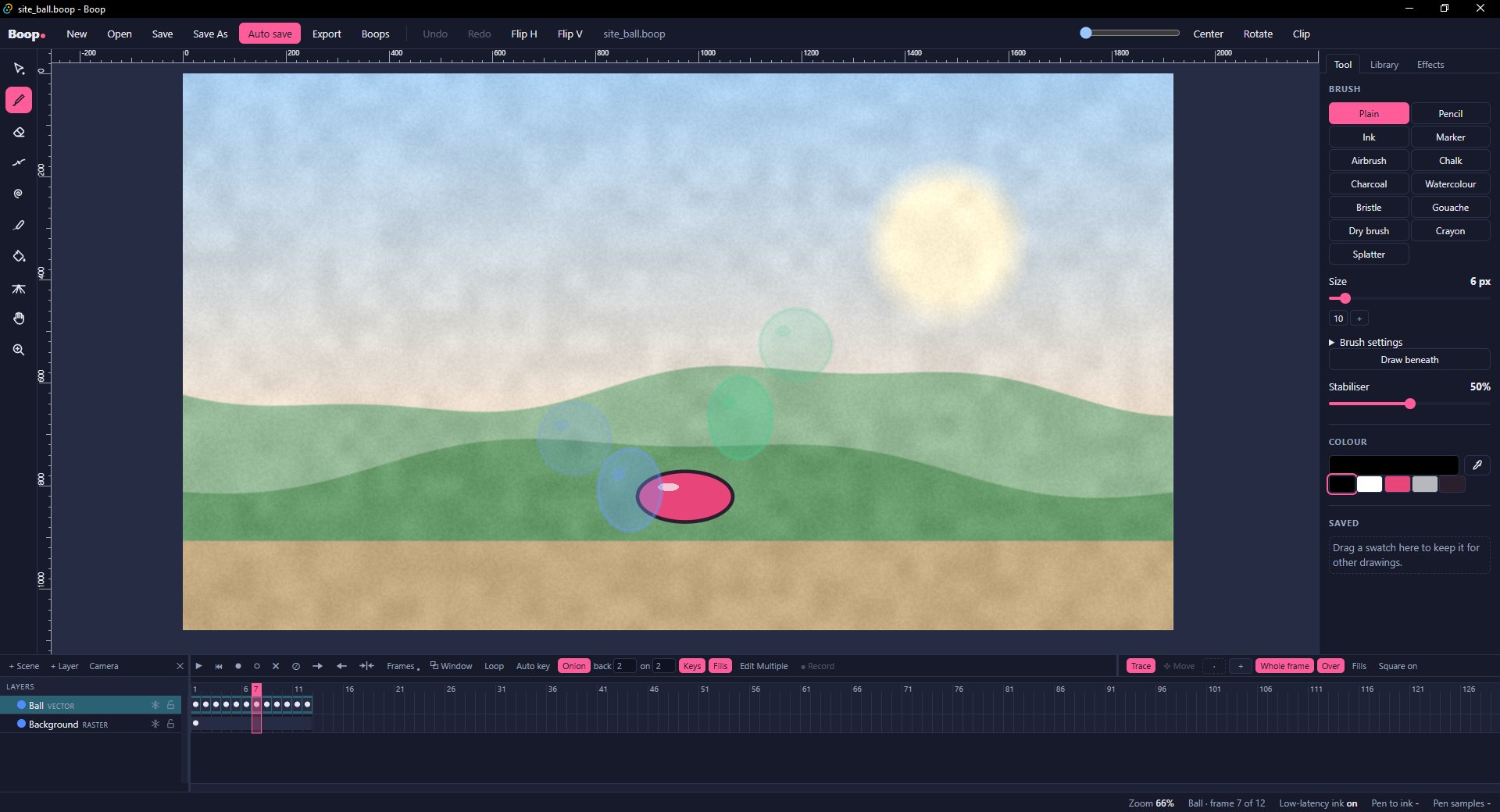
Everything a drawing needs to move
Vector and raster, side by side in one timeline. Draw lines you can keep reshaping, paint pixels with soft, textured brushes, and put them together however the shot needs.
Lines you can keep editing
Vector lines and fills. Erase up to where lines cross, join messy junctions into one line, push them about with liquify, and boil them for that hand-redrawn shimmer.
Paint in pixels too
Raster layers for backgrounds and painted work: soft brushes, smudge, and a bucket that closes small gaps and slips colour under your lines.
Brushes on real paper
Pencil, ink, charcoal, watercolour, gouache, crayon and more, on scanned paper grain, with pressure and tilt from your pen.
A timeline animators know
Keyframes and holds, F5, F6 and F7, onion skin, loop ranges, folders, and frames you can drag, copy and paste as a block.
Symbols, tweens and a camera
Reusable drawings with timelines of their own, motion tweens with easing, and a camera layer to frame the shot.
Watch it while you work
A playback window that loops on a second screen and shows every change the moment you make it - no stopping to check the timing.
Out as video, GIF or frames
Export MP4 video with its soundtrack, looping GIFs, single PNGs or a PNG for every frame.
Yours, and offline
No account to sign in to. Boop opens straight to a blank page, and your drawings stay on your computer.
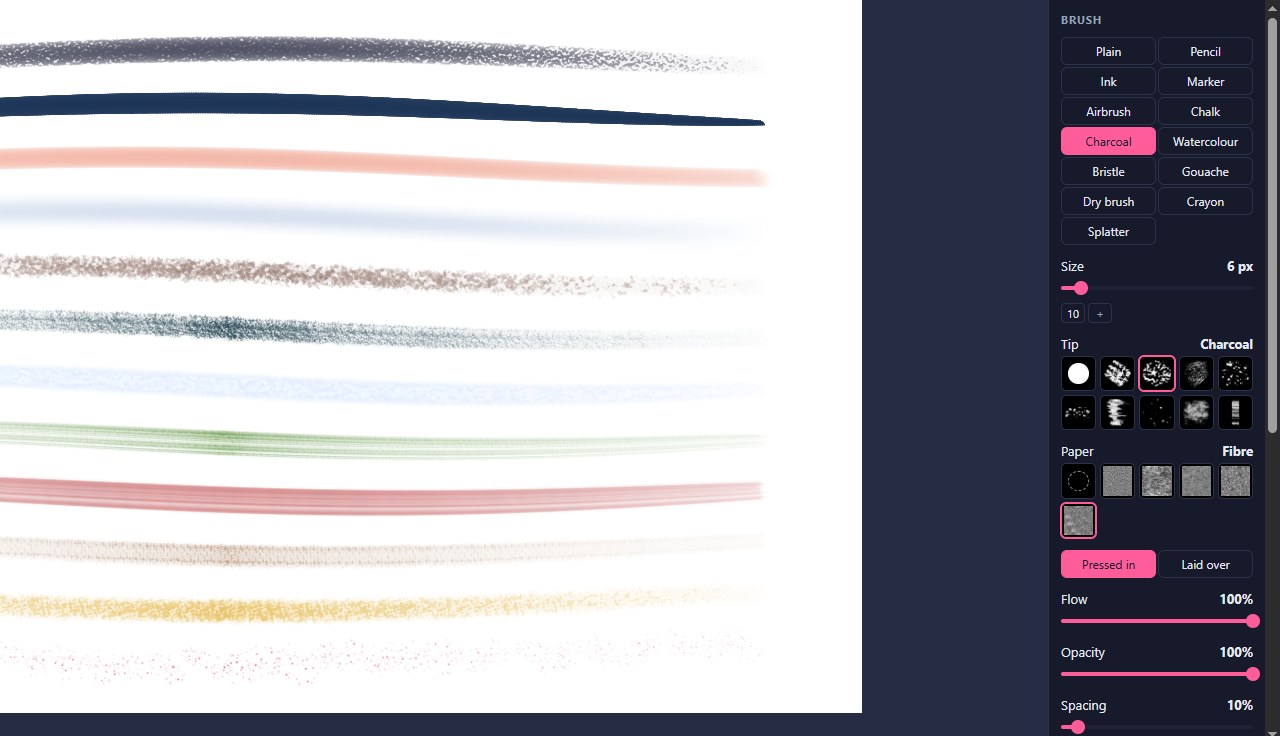
Twelve brushes, one engine
Every brush is built the way painting programs build theirs: marks laid along your line, each one shaped by the pen's pressure and lean at that spot.
- Scanned papers - fine, cold press, canvas, sketchbook and fibre
- Tips from real chalk, charcoal and bristles
- Colour that wanders from mark to mark, and wet edges like watercolour
- Works the same on vector and raster layers
One plan, everything in it
Try every part of Boop free for 14 days. Keep it for less than a sketchbook a month.
- Every tool, brush and export
- Every update while you are subscribed
- Cancel any time
- Full refund within 14 days of a payment
Questions
What do I need to run Boop?
Windows 10 or 11, 64-bit. A pen tablet is best: for pressure, turn on Windows Ink in your tablet's driver settings. A mouse works too.
Does Boop need the internet?
No. Boop opens and runs offline, with no account to sign in to. It checks your subscription online now and then - never your drawings.
What happens when the trial ends?
Subscribe to keep going. Your drawings are ordinary files on your computer either way.
How do I cancel?
Any time, from the link in your receipt email, or by writing to help@boopanimator.com. Boop keeps working until the end of the month you paid for.
Can I get my money back?
Yes - within 14 days of any payment, ask and you get that payment back in full. See refunds.
Windows says Boop is from an "unknown publisher".
Boop is new and made by one person, so Windows has not learned to recognise it yet. Choose More info, then Run anyway.
Is there a Mac version?
Not yet. Boop is Windows only for now.